
We Built a Medusa Plugin So Your Store Never Has to Settle for One Product Photo
A customer asked us for a way to extend their Medusa product images using AI — right from the admin panel. So we built it. The SceneSKU plugin turns any existing product image into a full set of professional lifestyle scenes in just a few clicks.
It started with a message from a customer.
They were running a Medusa storefront, and a recurring problem kept slowing them down: products with only one or two photos. Suppliers would send a single flat product shot on a white background, and that was it. No lifestyle imagery. No variety. Just one image per product — and a store that looked thin because of it.
They didn’t want to hire a photographer for every new SKU. They didn’t want to build a separate workflow outside their admin panel. They asked: can SceneSKU work directly inside Medusa admin?
We said yes. Then we built it.
The Problem With Single-Image Products
When a product only has one image, it limits everything.
It limits how much shelf space you can give it in your store layout. It limits buyer confidence — shoppers want to see a product from multiple angles, in real-world contexts, before they commit. It limits your ad creative. And when you have hundreds of products with the same problem, it’s not a photography budget issue — it’s a workflow issue.
The bottleneck isn’t finding a photographer. It’s that fixing this for an entire catalog, one product at a time, using external tools, and then re-importing images into Medusa manually, takes too long to be worth it.
The SceneSKU Medusa Plugin
We built a Medusa v2 admin plugin that brings AI scene generation directly into your product workflow.
Once installed, a SceneSKU AI Scenes panel appears on every product detail page in your Medusa admin. No context switching. No separate tool to log into. Everything happens where you already manage your products.
Here’s what the workflow looks like:
Step 1 — Get started from the product page.
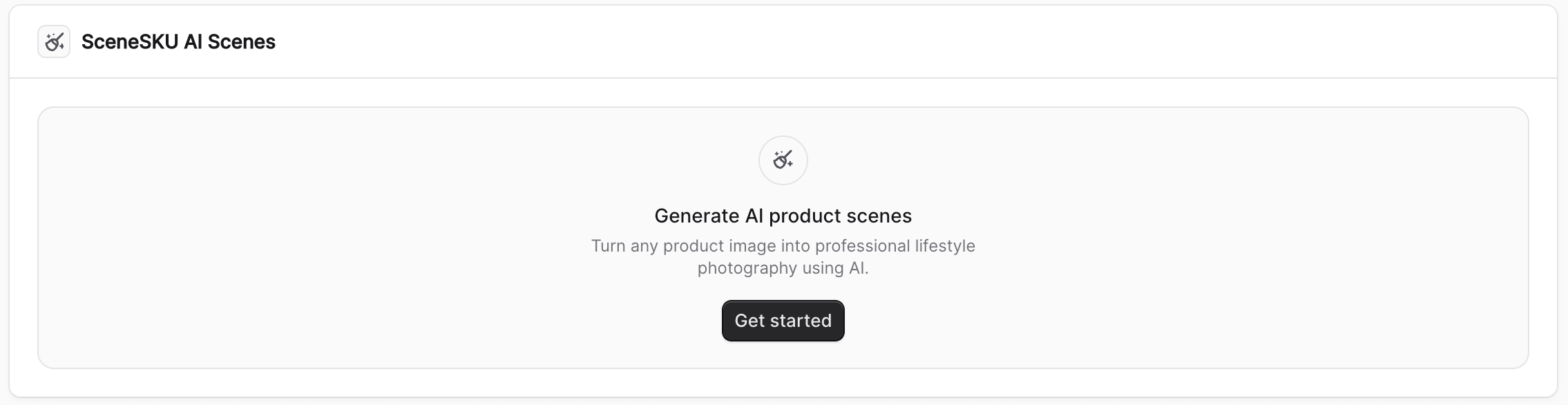
The widget sits in the right sidebar of the product detail view. When you’re ready to generate scenes, click Get started.
Step 2 — Choose your anchor image and configure the generation.
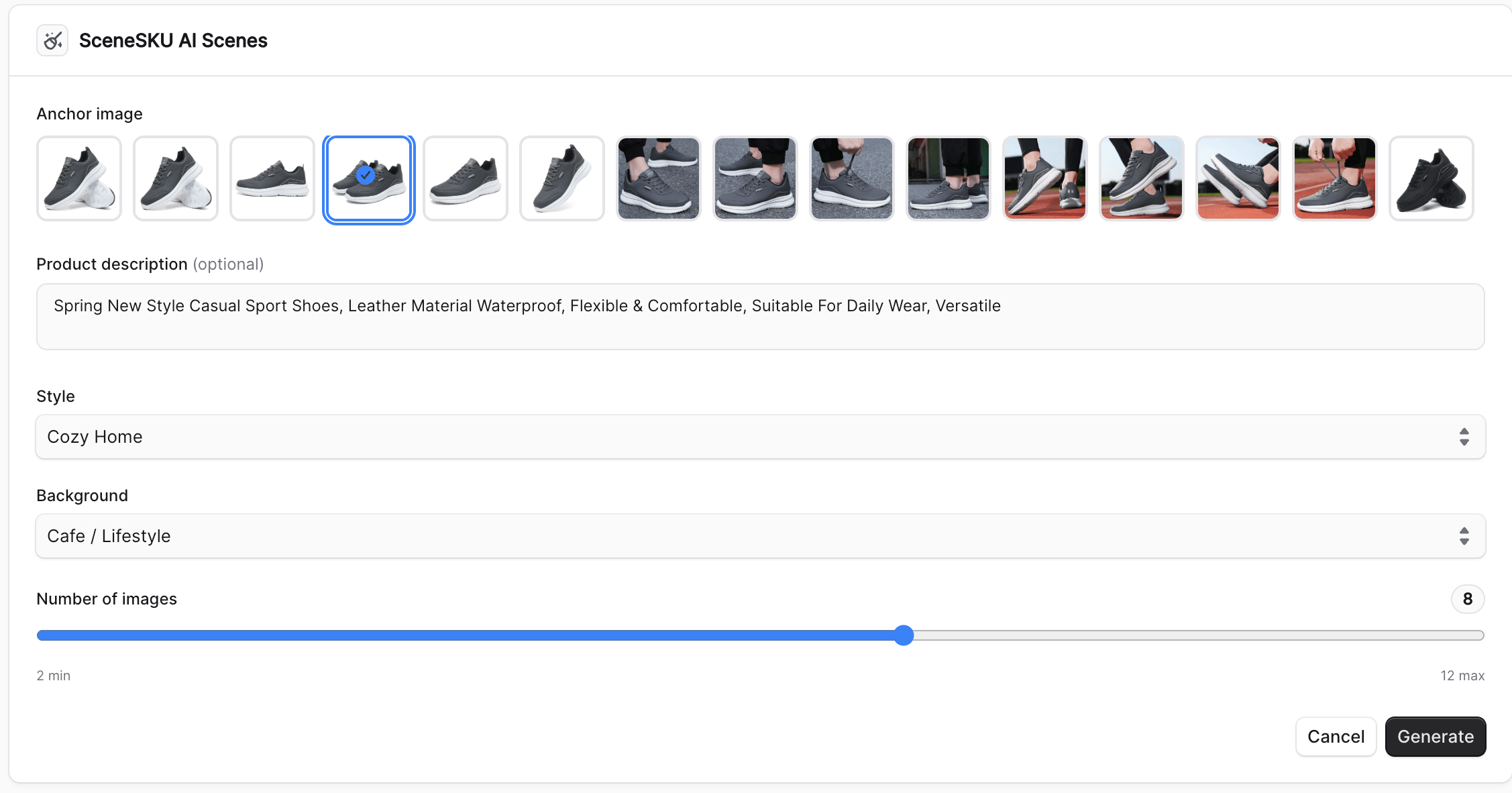
You pick which product image to use as the anchor — the base image that SceneSKU will use to understand the product’s shape, color, and material. Then you configure:
- Style — the visual aesthetic (studio, lifestyle, editorial, and more)
- Background — the scene environment (neutral, outdoor, cozy interior, and more)
- Number of images — how many scenes to generate (2 to 12)
Then click Generate. SceneSKU uploads the image, generates a scene plan, and starts rendering.
Step 3 — Save scenes directly to the product.
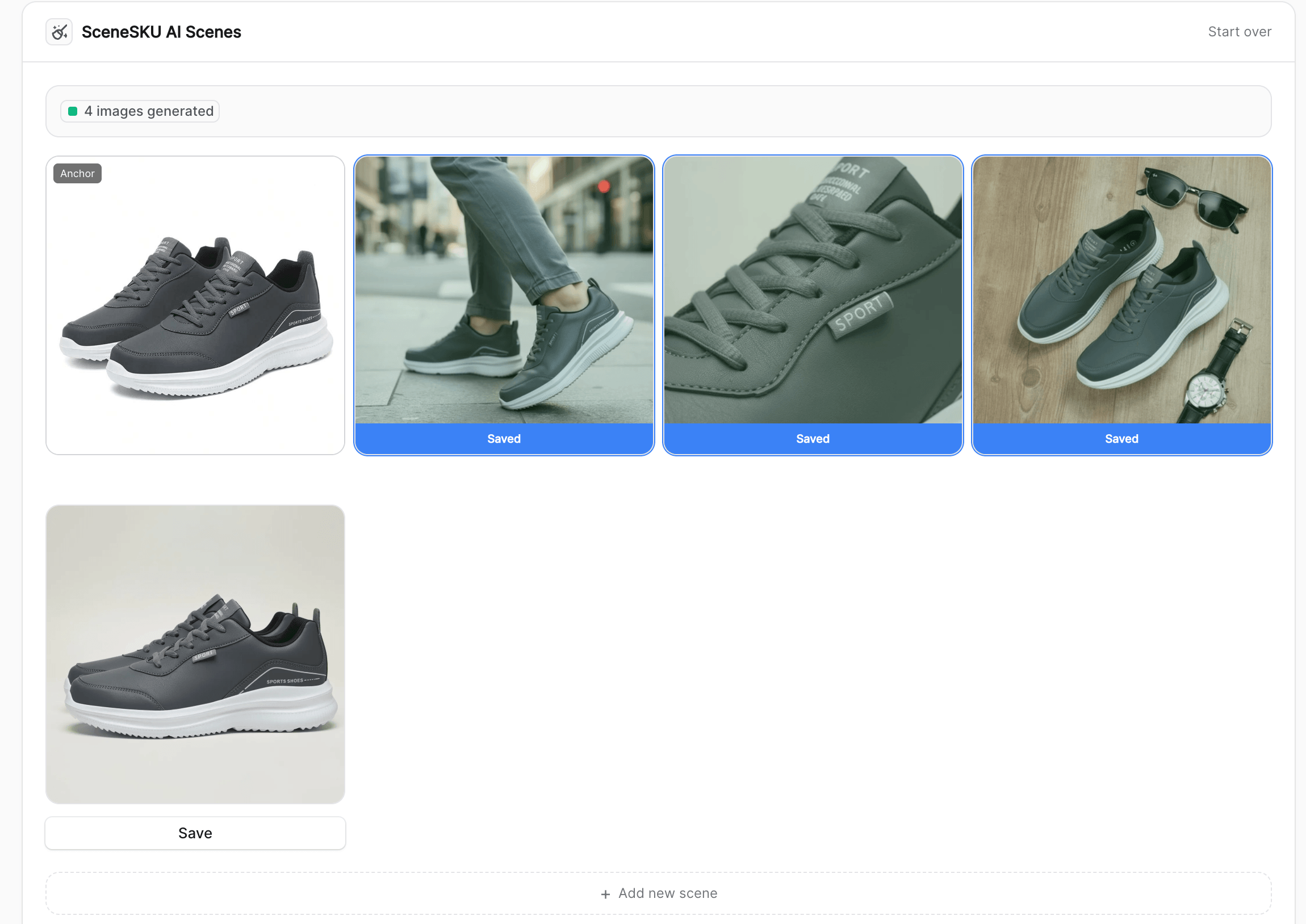
As images finish generating, they appear in the grid. Your original product image is shown as the Anchor — it stays untouched. The new AI-generated scenes appear alongside it, each with a Save button. Click Save and the image is added directly to the product’s media gallery in Medusa, without leaving the admin panel.
That’s it. A product that had one image now has five, eight, or twelve — all professionally styled, all generated from a single existing photo.
What It’s Actually Good For
This isn’t just useful for stores with thin product catalogs. A few use cases that come up often:
Extending supplier images. Suppliers often provide one or two clean product shots. The plugin turns those into a full set of lifestyle images that match the look and feel of your store.
Testing new products quickly. When a new SKU is added, you can generate a full image set before the professional photography comes back — so the product listing is complete from day one.
Keeping visual consistency across the catalog. By choosing the same style and background preset across multiple products, the generated images share a cohesive look — something that’s hard to achieve when you’re pulling images from different suppliers and shoots.
Coming Soon
The plugin is almost ready for public release. We’re putting the finishing touches on the npm package — it will install as a standard Medusa v2 plugin, with API key management handled directly from Medusa’s Settings panel.
If you’re running a Medusa storefront and want early access, reach out to us at [email protected] and we’ll get you set up.
SceneSKU generates AI product scene images for eCommerce stores. Start for free →