
WebP vs. PNG vs. JPEG: What is the Best Image Format for E-Commerce Stores?
Images make up over 70% of a typical web page's weight. Choosing the right format is the highest-ROI, lowest-effort performance optimization available to you — here's what you need to know.
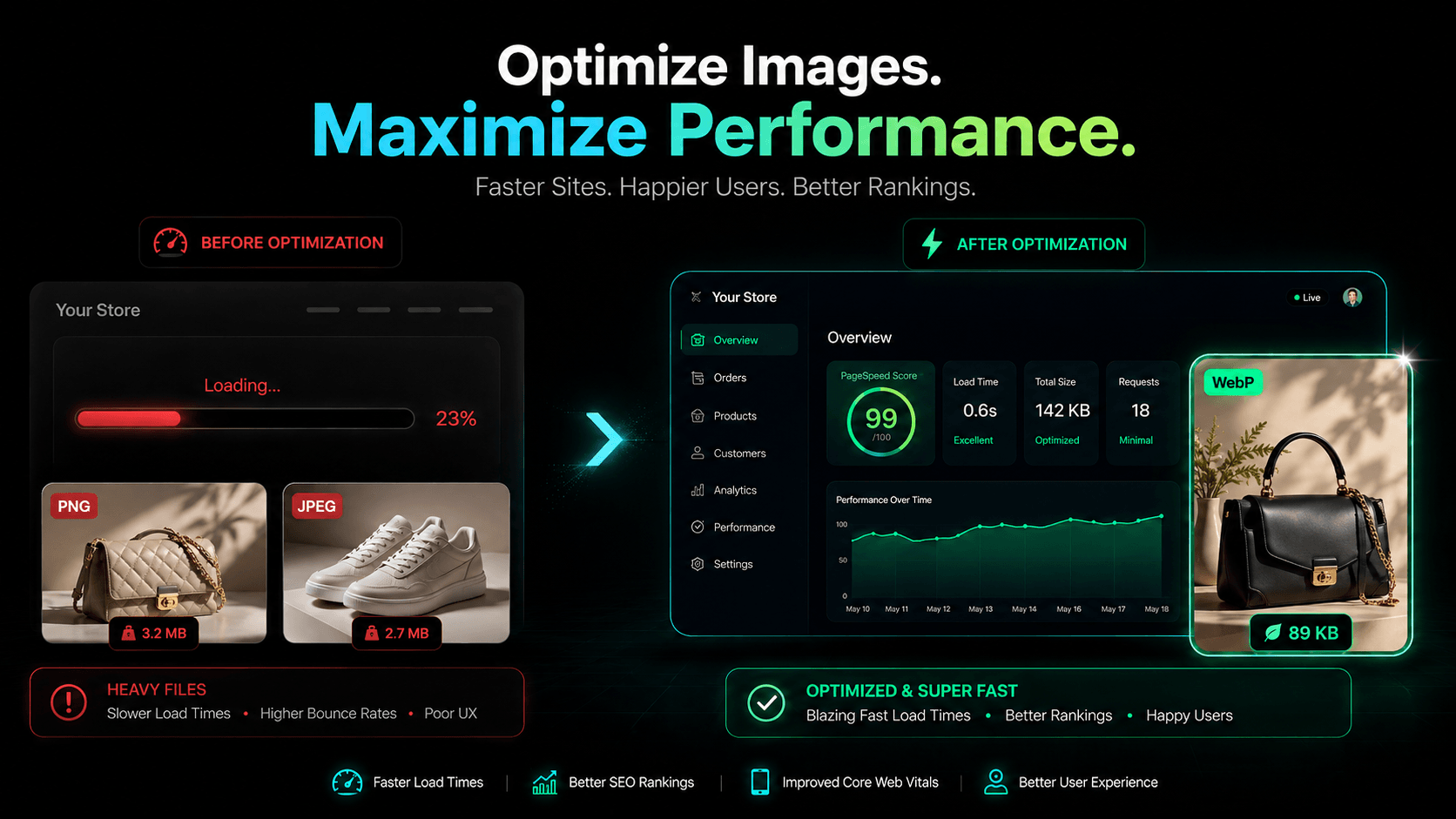
Images account for over 70% of a typical web page’s weight, and a one-second load delay costs 7% in conversions. Yet most stores are still serving bloated, legacy-format images without a second thought.
Here’s what you actually need to know.
PNG vs. JPEG vs. WebP: The Short Version
| Feature | PNG | JPEG | WebP |
|---|---|---|---|
| Compression | Lossless | Lossy | Both |
| Transparency | ✅ | ❌ | ✅ |
| File Size | ❌ Large | ✅ Small | ✅✅ Smallest |
| Browser Support | Universal | Universal | Universal |
| Core Web Vitals | ❌ Negative | ⚠️ Neutral | ✅ Positive |
PNG excels at transparent product cutouts but produces massive files that punish load times. JPEG compresses photography well but has no transparency support and degrades on every re-save. WebP does both jobs better — 25–34% smaller than JPEG, 26% smaller than PNG, with full alpha transparency and universal browser support in 2026.
For virtually every e-commerce image use case, WebP is the correct default.
Why Google Cares About Your Image Format
WebP directly improves two Core Web Vitals ranking signals:
- LCP (Largest Contentful Paint): Smaller hero images load faster. A 400KB JPEG hero becoming a 260KB WebP equivalent is a measurable ranking improvement.
- CLS (Cumulative Layout Shift): Faster, more predictably-loading assets reduce unexpected layout movement on slower connections.
For agencies chasing 95+ PageSpeed scores, format conversion is the highest-ROI optimization that requires zero architectural changes. There is no longer a meaningful browser compatibility argument against WebP — only performance arguments for it.
The Mock Data Problem Nobody Talks About
Here’s a scenario every headless commerce developer knows: you seed a MedusaJS or Next.js storefront with placeholder data from DummyJSON or Fake Store API, open PageSpeed Insights, and watch the score crater into the 50s. The culprit is always the same — uncompressed, incoherent stock images served from third-party servers with no optimization and no caching headers.
Your demo’s performance is your credibility. A red PageSpeed score on a client showcase is a hard conversation to have when the underlying code is actually solid.
The SceneSKU Difference
SceneSKU Scene Packs solve this at the source. Every AI-generated product image is natively encoded in WebP from day one — no conversion scripts, no sharp pipelines, no post-processing steps required.
When you seed your storefront with SceneSKU data, you get visually cohesive, on-brand product imagery that performs like production assets from the very first page load. Agencies can confidently show clients a demo that looks beautiful and scores green across the board in PageSpeed Insights.
Stop serving heavy PNGs where WebP will do. Stop defaulting to unoptimized stock images because they were fast to import.
Sign up free at SceneSKU.com and download your first native WebP Scene Pack today. Your PageSpeed score will reflect it immediately.